
TraceBoss, TraceBoss+, TraceBossPro
Take your Portable Roughness Gauge to the Next Level


TraceBoss Roughness Gauge Software
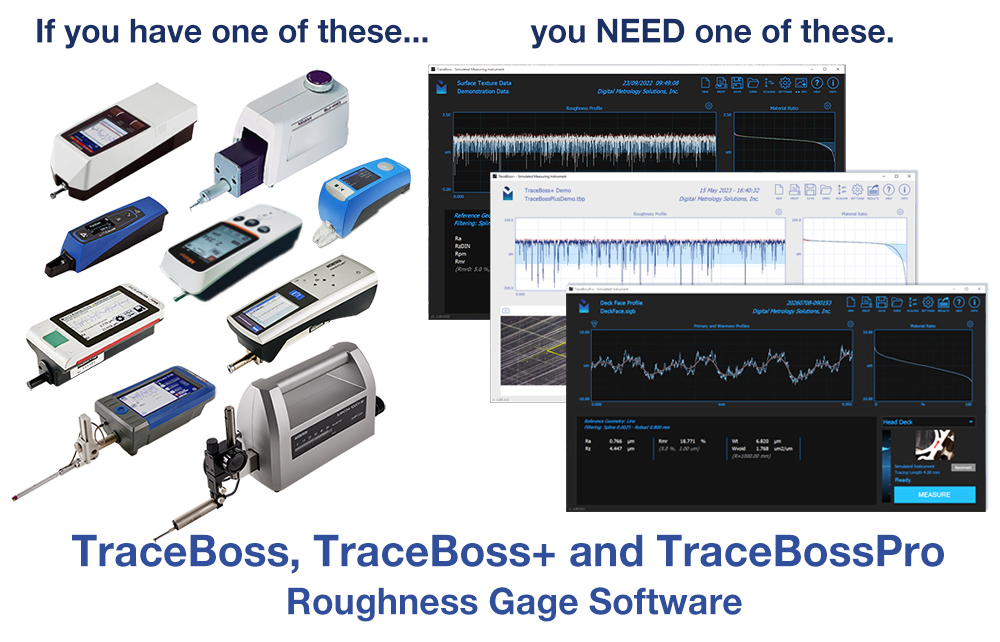
Get MORE from your surface roughness gauge!
TraceBoss helps you see, save, and understand your surface roughness data and crosshatch data. Go beyond the numbers and SEE what your surfaces are telling you!
- One-button measurement and analysis
- See your data graphically
- Save and recall data and settings
- Export for tracking and SPC
- Roughness parameters with optional tolerances
- Rk parameters and material ratio curve
- Battle-tested by major manufacturers and leading racing teams
- Fully compatible with touch screens and tablets
- Comprehensive help and support videos
- Incredible value—make the most of your roughness gauge investment!
The TraceBoss family:
TraceBoss
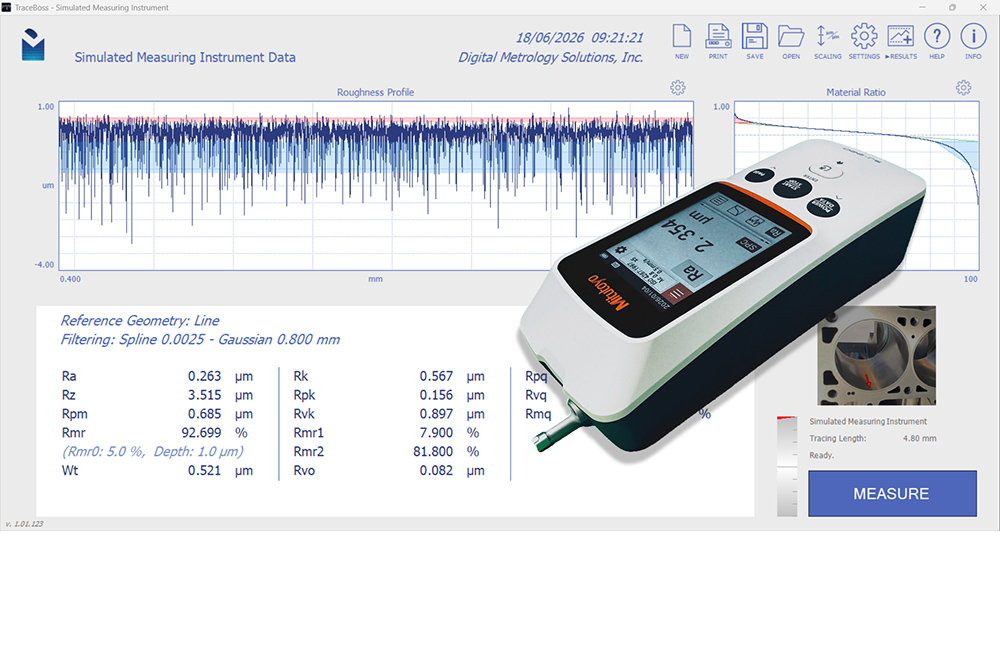
See, analyze, and save data from your portable roughness gauge
TraceBoss+
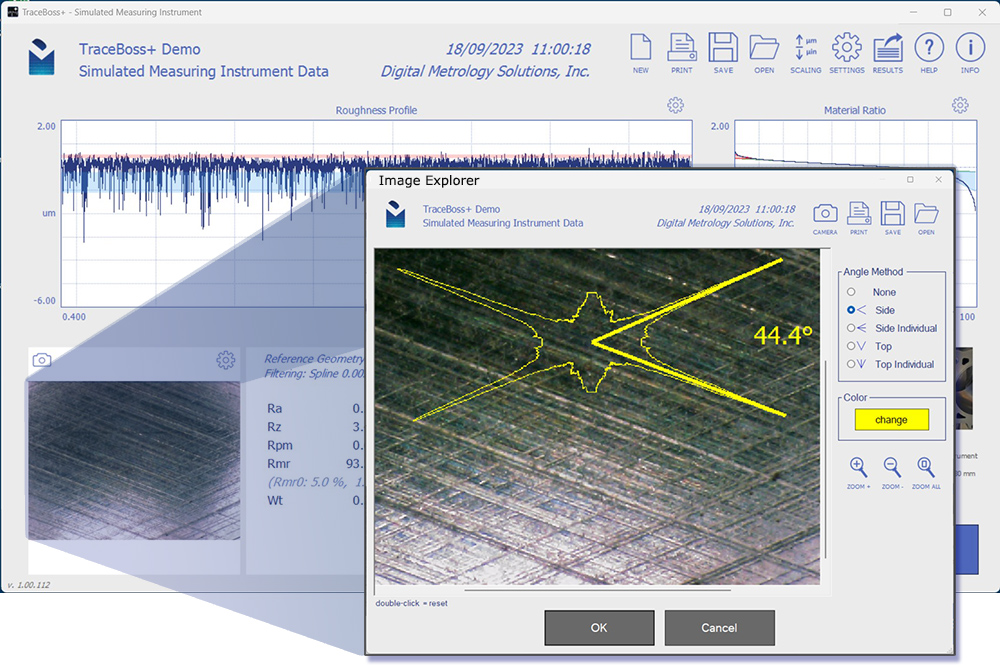
The power of TraceBoss PLUS crosshatch & surface imaging
TraceBossPro
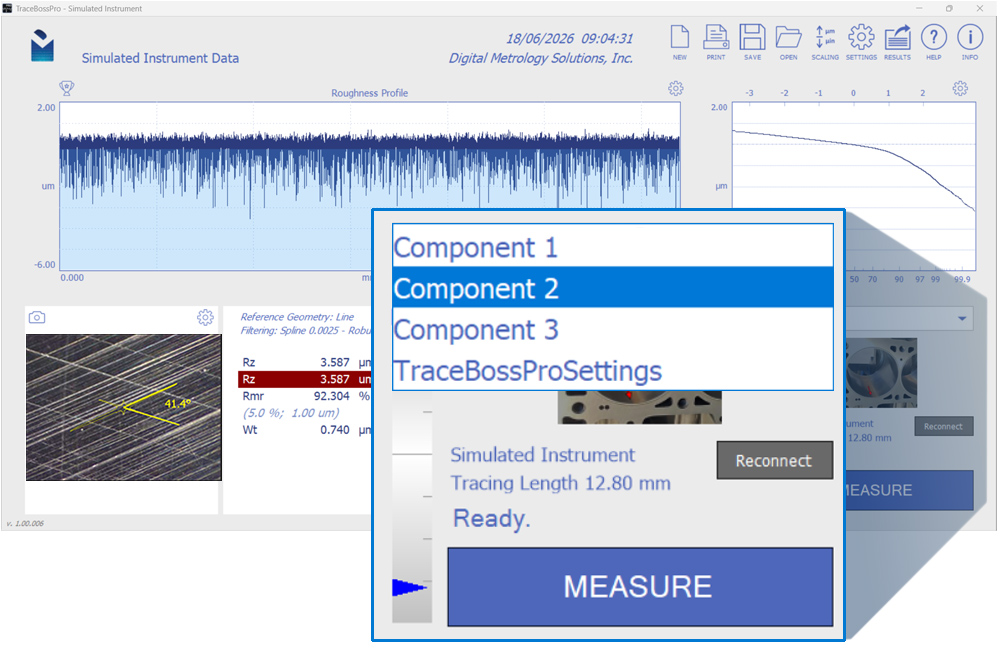
Production roughness and crosshatch measurement
TraceBoss Surface Roughness Software
TraceBoss helps you see, save, and understand the data from your roughness gauge. Go beyond the numbers and SEE what your surfaces are telling you!
SEE your data
Most portable gauges only output a number, maybe a low-res trace on a tiny screen. TraceBoss shows you your data in rich graphics, so you can see the texture, and understand what’s happening on your surfaces. And it’s compatible with touch screens and tablets for use throughout the shop, in the lab, and at your desk.
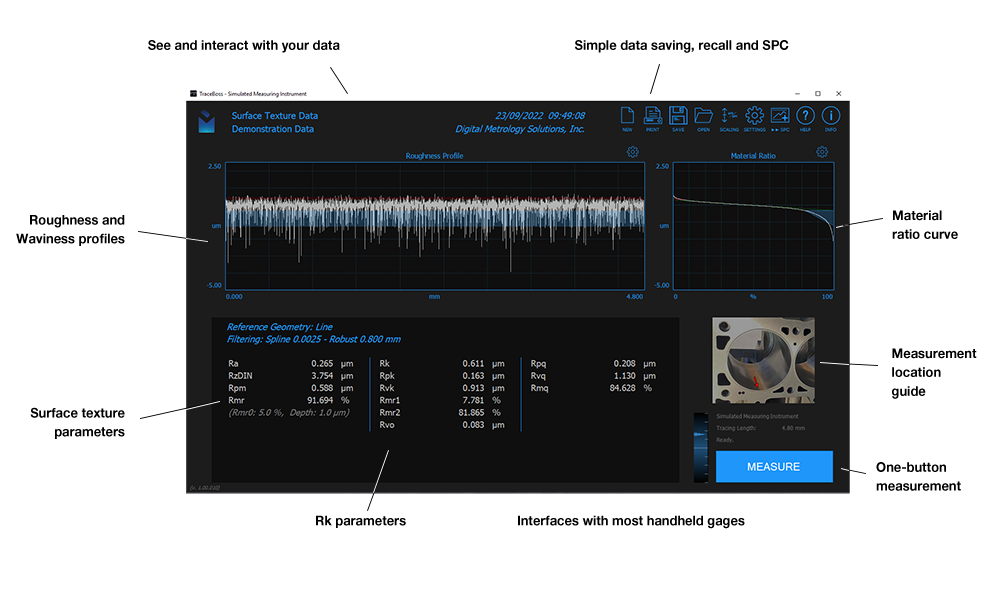
Difficult lighting in your shop? Choose from two high visibility color schemes that make it easy to see in any environment.
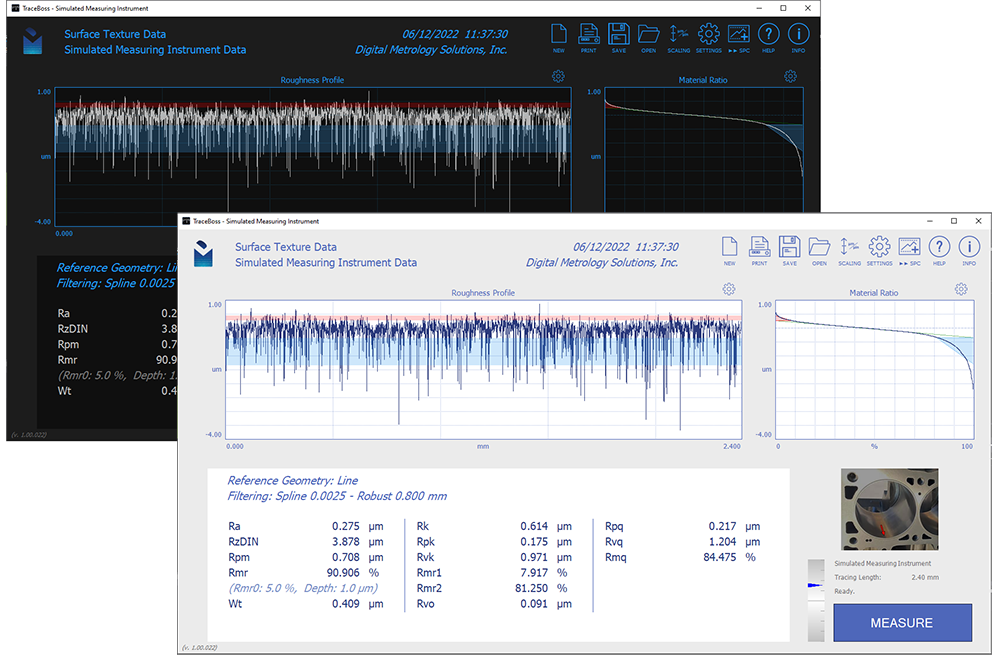
TraceBoss is designed for a short learning curve and easy customization. Want to change a setting? Just double-click it. You can even add a “help image” to indicate the exact part location for each measurement.
SAVE your data
With a standard roughness gauge, once you take a measurement, the data’s gone.
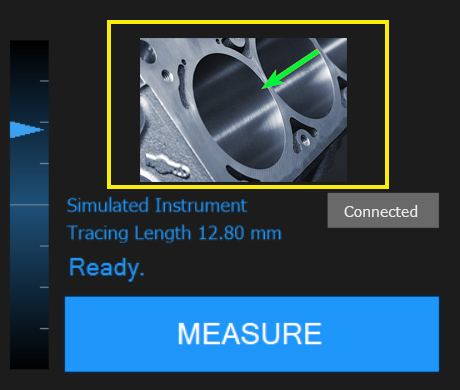
With TraceBoss you can save every measurement, then recall it later to review or compare. Output numerical results for SPC, capture the measurement screen as a PDF, or save the entire measurement.
TRACK parameters
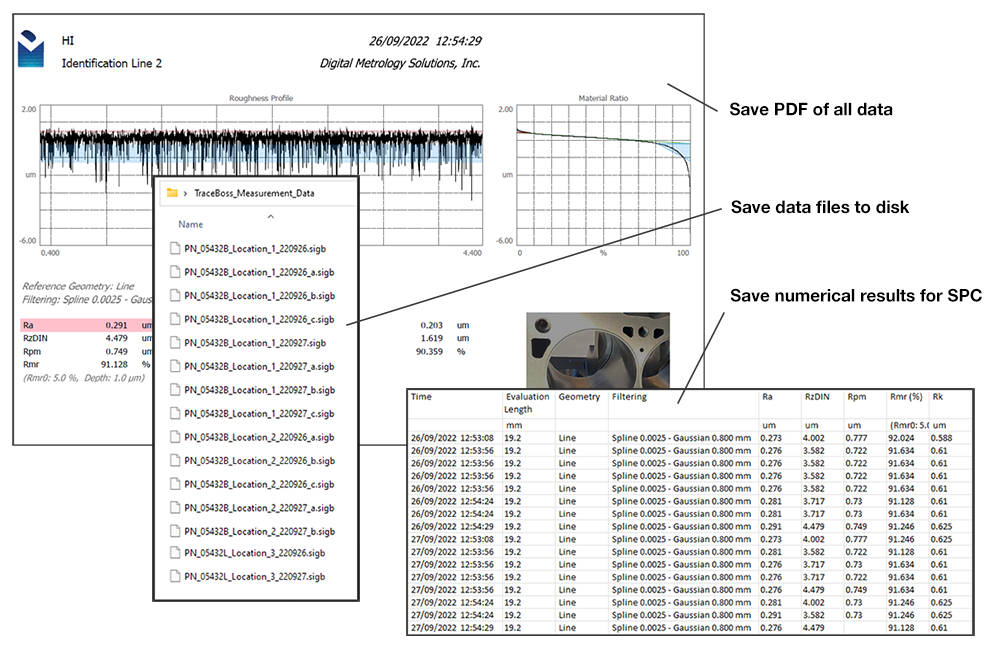
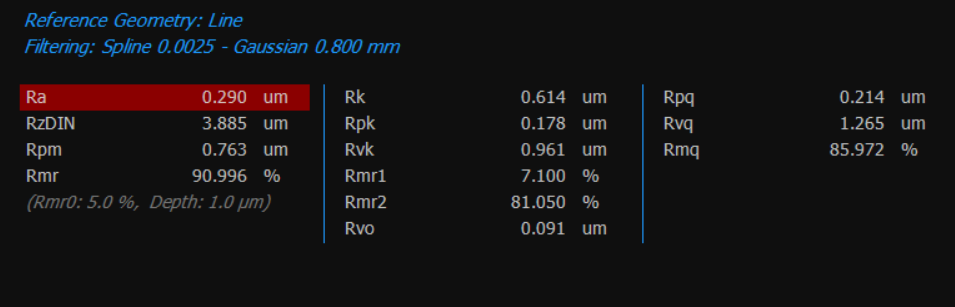
With TraceBoss you can calculate all common parameters and present them in a single screen! Set parameter tolerances so you can see at a glance whether a measurement passes or fails. If you need more parameters, TraceBossPro gives you access to hundreds!
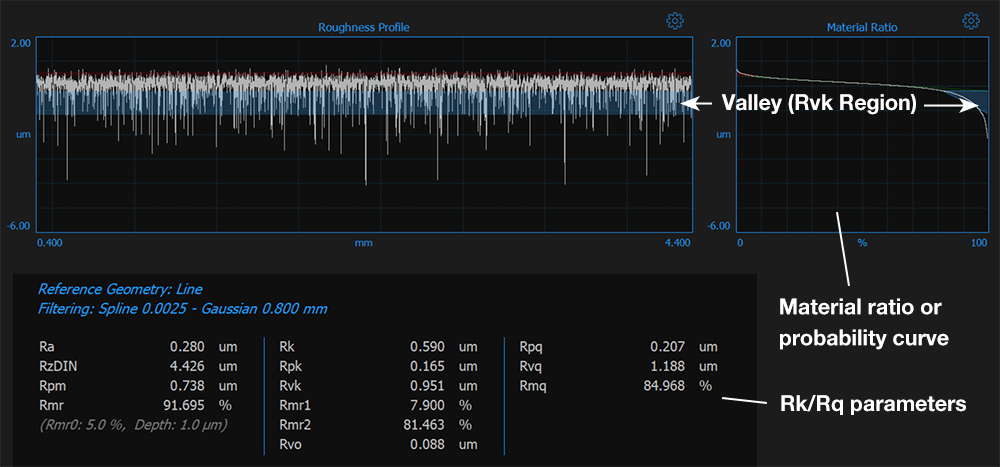
Need to make sense of Rk and Rq parameters?
All TraceBoss versions show you the material ratio or material probability curve side-by-side with measurement data. These color-coded displays help you quickly see the relationship between the Rk/Rq parameters and the peaks and valleys they describe. You can instantly connect the Rvk results (blue in the image below, or the red/pink Rpk results) to the measured surface.
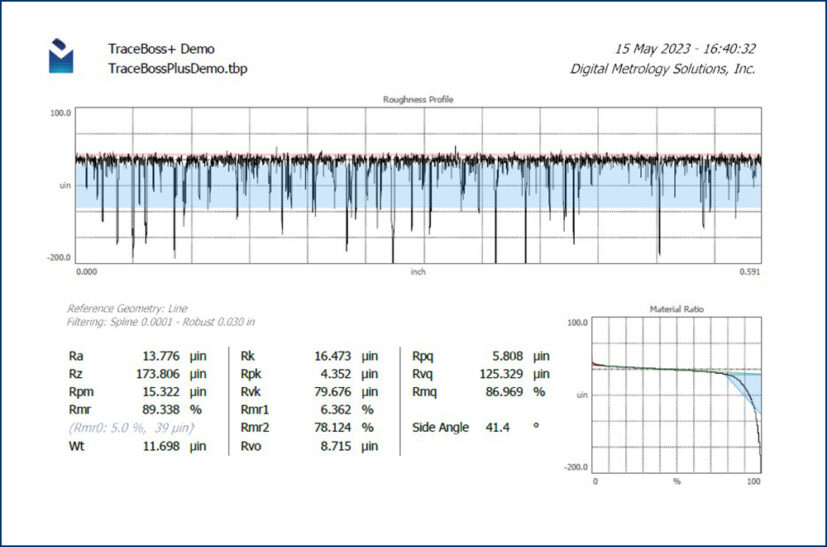
PRINT and share
The printing option creates a concise, easy-to-share report:
TraceBoss+ Surface Roughness PLUS Crosshatch
TraceBoss+ gives you all the functionality of TraceBoss PLUS the crosshatch data analysis of our HatchView software. Now you can view, save, recall, and compare your roughness AND crosshatch data, all from a single file!
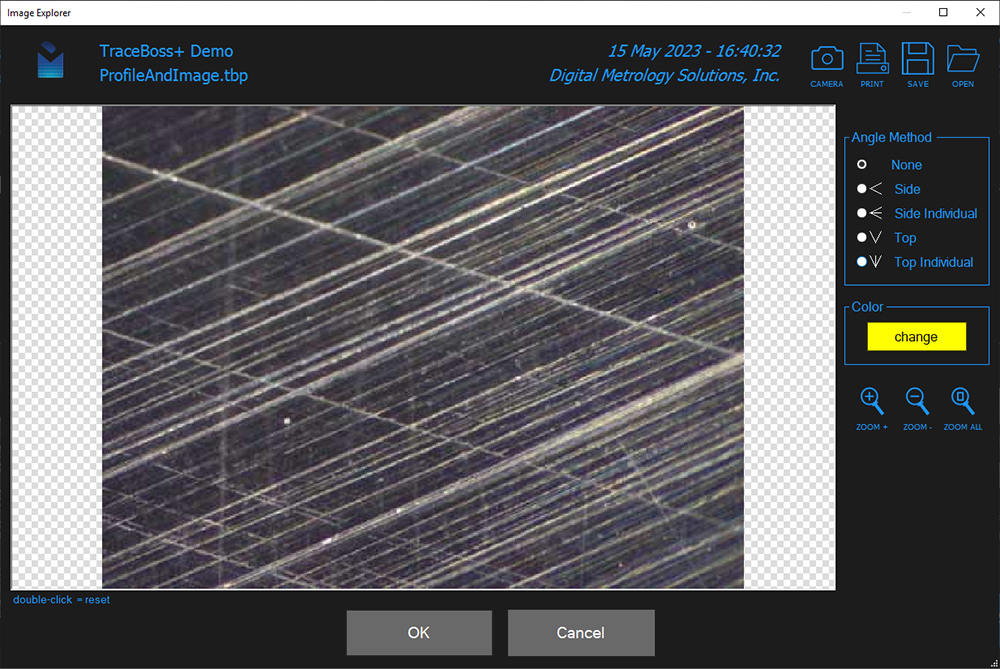
With TraceBoss + you can acquire an image from any USB equipped microscope, or open a saved image file. Use the angle, zoom, and pan tools to analyze crosshatch and review torn-and-folded metal. Best of all, the crosshatch angle information can be saved and output right alongside your surface roughness data!
TraceBossPro: Production Roughness and Crosshatch Measurement
TraceBossPro is the most powerful TraceBoss yet! You get the outstanding graphics, integrated crosshatch camera and analysis, results and reports, image editing, and all other features of TraceBoss and TraceBoss+. You can choose from hundreds of ISO 21920 and ASME surface texture parameters, advanced filtering options, configurations for each part and measurement, lockable production setups for reliable results, and a lot more!
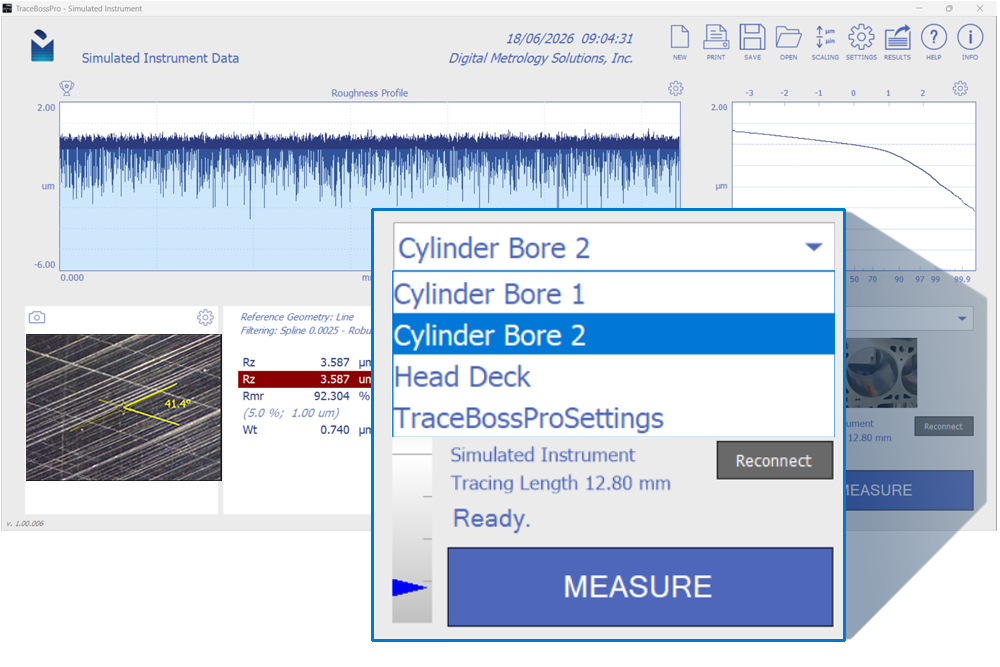
Production Mode Settings Configurations
In TraceBossPro you can switch measurement configurations in one click. A configurations dropdown makes changeovers a breeze. You can even lock out the main settings screen for consistency and traceability.
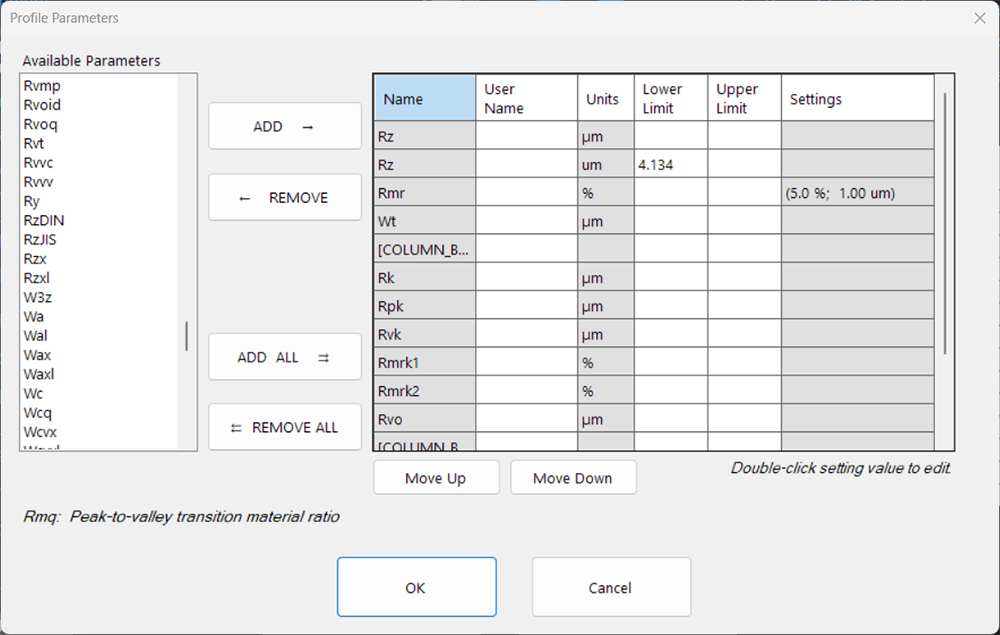
Configurable Parameters
In Pro you can select from hundreds of texture parameters to analyze the roughness, waviness, and primary profiles. Each configuration can have its own set of parameters. As always, you can define user limits for each parameter. Out-of-spec parameters appear in red so a user can see at a glance whether a measurement passes or fails.
Added horsepower for your roughness gauge
All TraceBoss versions interface quickly with a wide range of portable surface gauges, including:
- Mitutoyo Surftest SJ-210
- Mitutoyo Surftest SJ-220
- Mitutoyo Surftest SJ-301
- Mitutoyo Surftest SJ-410 (SJ-411, SJ-412) and SJ-400
- Zeiss/ACCRETECH Handysurf+
- Hommel-Etamic LV17/W5/W10
- MarSurf M 310
- Surtronic S100
- Surtronic S128
- Zeiss/ACCRETECH Surfcom TOUCH 50
- SM Metrology’s LITEsurf
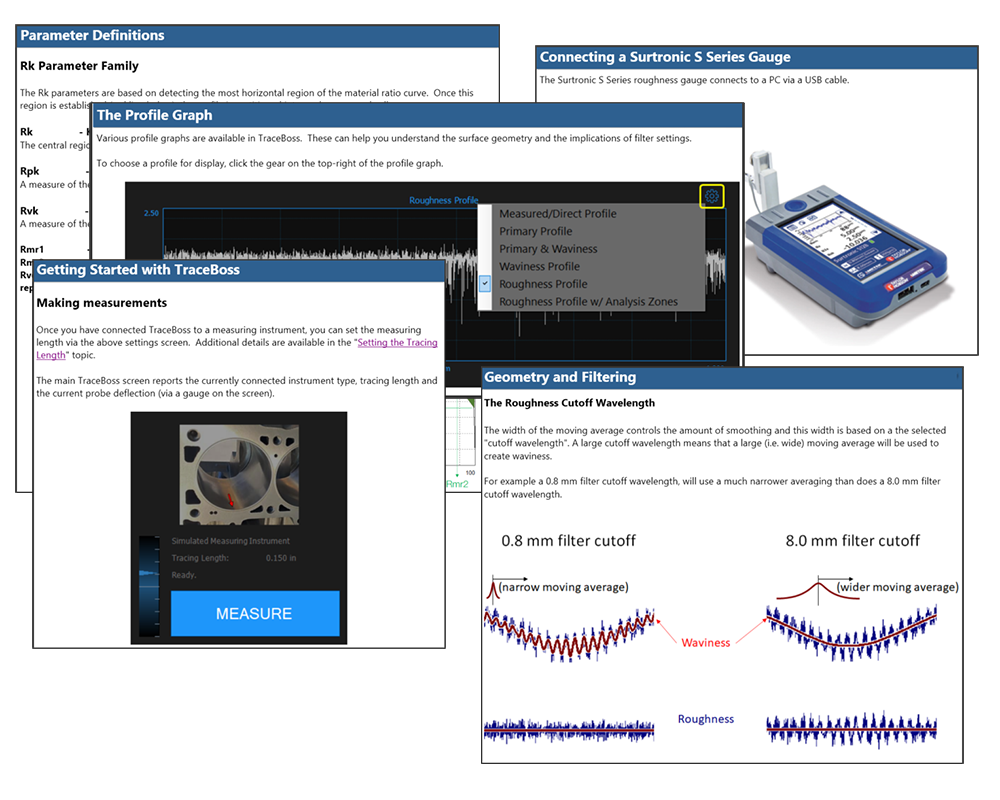
Setting up a new gauge is as easy as plugging it in. Just a few clicks and you’ll be seeing your data in a whole new light! The Help system will even guide you through the first connection; step-by-step with pictures.
System requirements
- Windows 10 or later (64-bit)
- 2 GB RAM or better
- 1080p graphics (at 100% zoom) recommended for optimal viewing experience.
Help and support
All TraceBoss versions include a comprehensive Help system with detailed descriptions of surface texture parameters, software features, and surface roughness measurement in general. We also have dozens of videos to visually explain texture measurement, Texture Parameters, and analysis. Need more specific help? We’re always just a call or email away!
Understand your surface data like never before
Start getting the most from your portable stylus gauge wtih TraceBoss. It’s never been easier to see, save, explore, and understand your surface texture data!
Start a 10-day trial to see how much value TraceBoss and TraceBoss+ add to your portable roughness gauge! If you don’t have a gauge nearby, you can still check out all of the features with its built-in simulated gauge.