
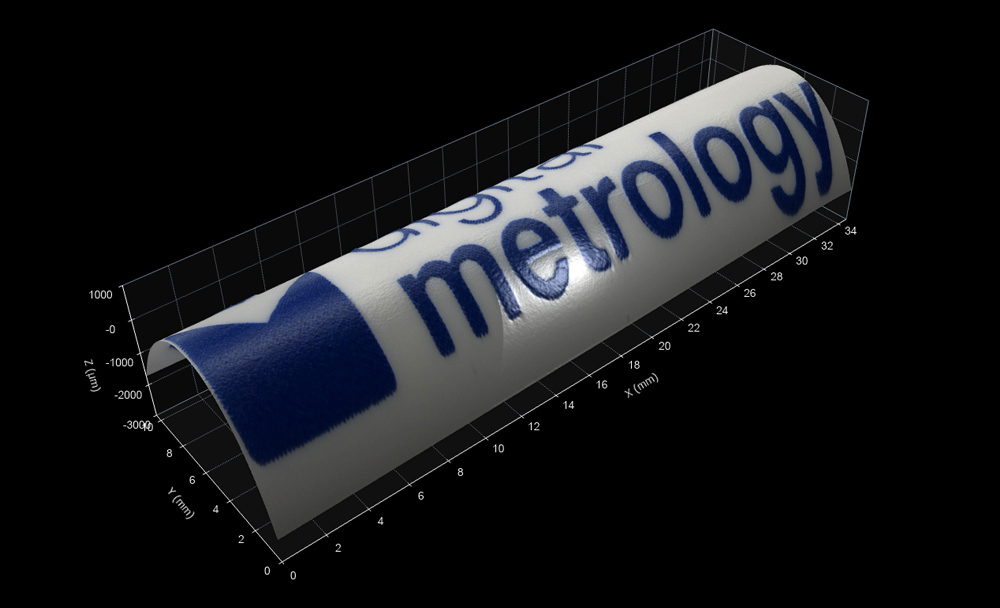
We have a new generation of Digital Metrology pens…and some nice data taken at Sensofar on their S Wide 3D Optical Profilometer!
This dataset includes an image overlay that provides a more realistic sense of a surface. The overlay can be saved as part of the .os3d file format. To view the image overlay in OmniSurf3D, click the camera toolbar button. To turn it off, click either the color or gray scale toolbar buttons.
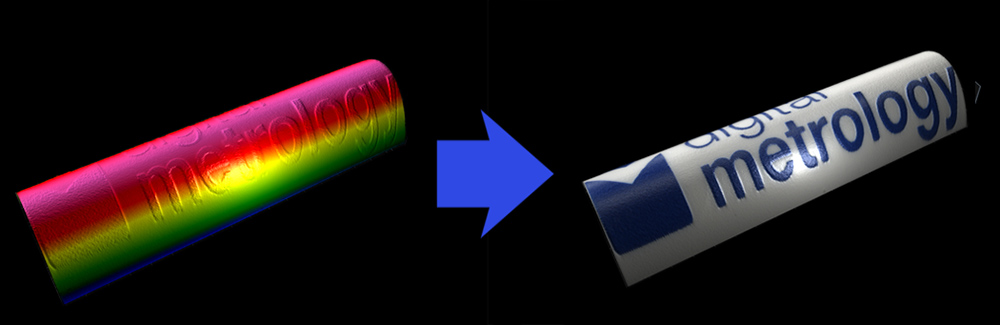
The image overlay button will be grayed out when an overlay is not saved with the data.
Measured via: Sensofar S wide, Fringe Projection
Data source: Sensofar
Data format: .os3d (open with OmniSurf3D)
Please log in below to download the datasets. If you’re new to the page, please take a moment to register here.
I forgot my password

How to cite
If you use this dataset, please reference it as follows:
Digital Metrology Solutions. “Surface Library.” Digitalmetrology, digitalmetrology.com/dataset/digital-metrology-pen. Accessed Oct 16, 2026.